Shortwave Atlas
For shortwave listeners

See what you’re hearing.

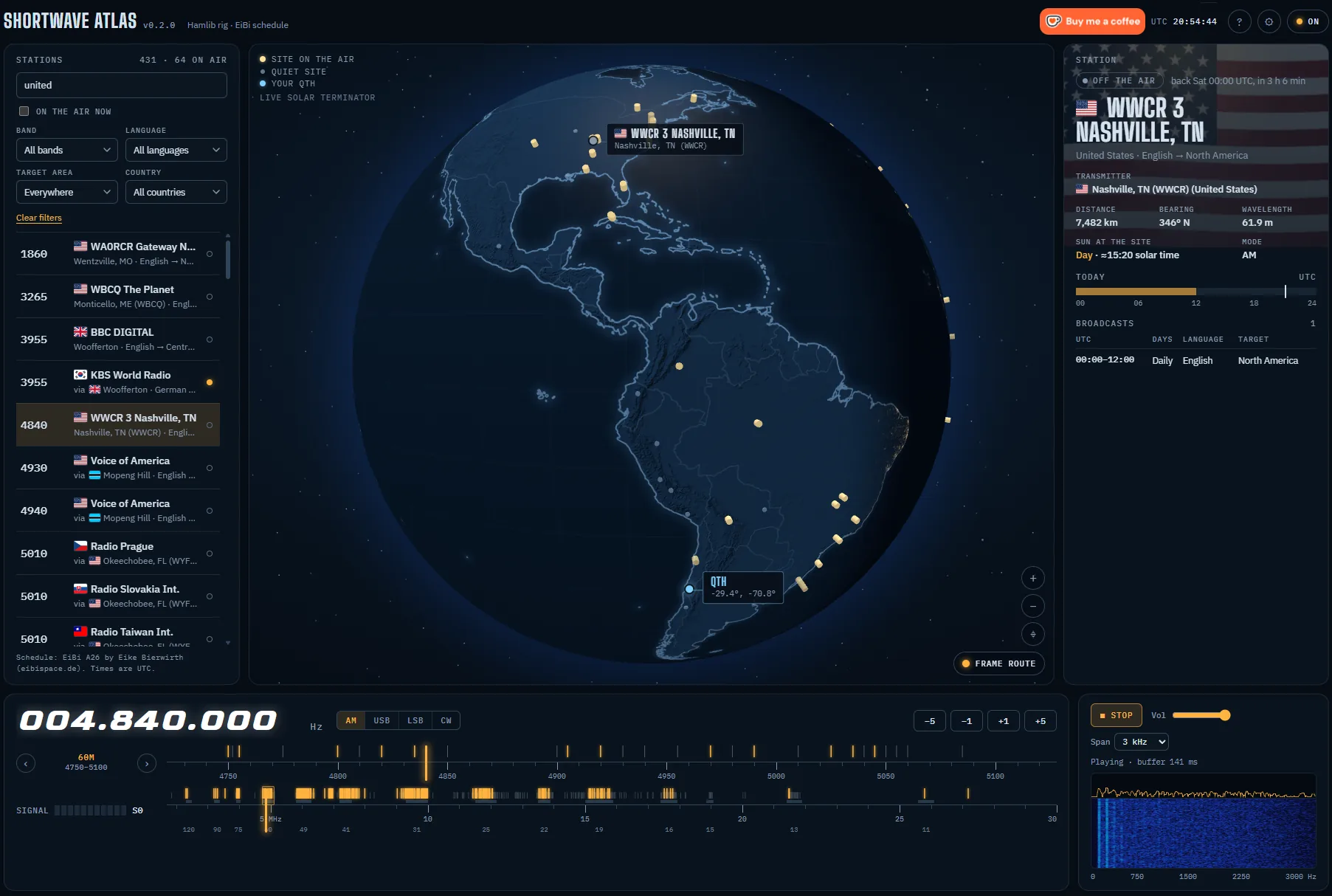
Shortwave Atlas connects to your radio and turns every frequency you tune into a place on the map. Spin the dial and the globe flies to the transmitter, traces the path across the day/night line, and tells you who’s on the air, how far away they are, which way to point your antenna and when they broadcast next. Prefer a map? One switch turns the globe into a flat map of the whole world.

Shortwave Atlas tuned to WRMI Radio Miami International on 9955 kHz: the station list, the globe with the path from Okeechobee, Florida to the listener’s QTH, the station card with its schedule, and the band dial with the S-meter and the heat strip of the channels listened to

How it works

  1. Connect your radio

    Pick your rig from Hamlib’s list of hundreds, choose the serial port and press Connect. If the radio doesn’t answer, it tells you why in plain words.

  2. Tune or scan

    Turn the dial, or let it scan a band. It reads your frequency and the S-meter and logs what it actually hears.

  3. See who’s on the air

    The globe flies to the transmitter and shows the station, the distance, the antenna bearing and the next broadcast.

Your radio, on a map

Tune

Tune, and the map follows

About 2,000 frequency and station pairs from 170 transmitter sites, from the EiBi schedule. Tune 9955 and you’re looking at Florida, with the path drawn across the live day/night line.

  • A 3D globe, or one switch to a flat map of the whole world
  • Search by station, country, language or kHz; filter by band, language, target and country
  • Scroll over a digit to tune by it; a heat strip lights the channels you listen to most
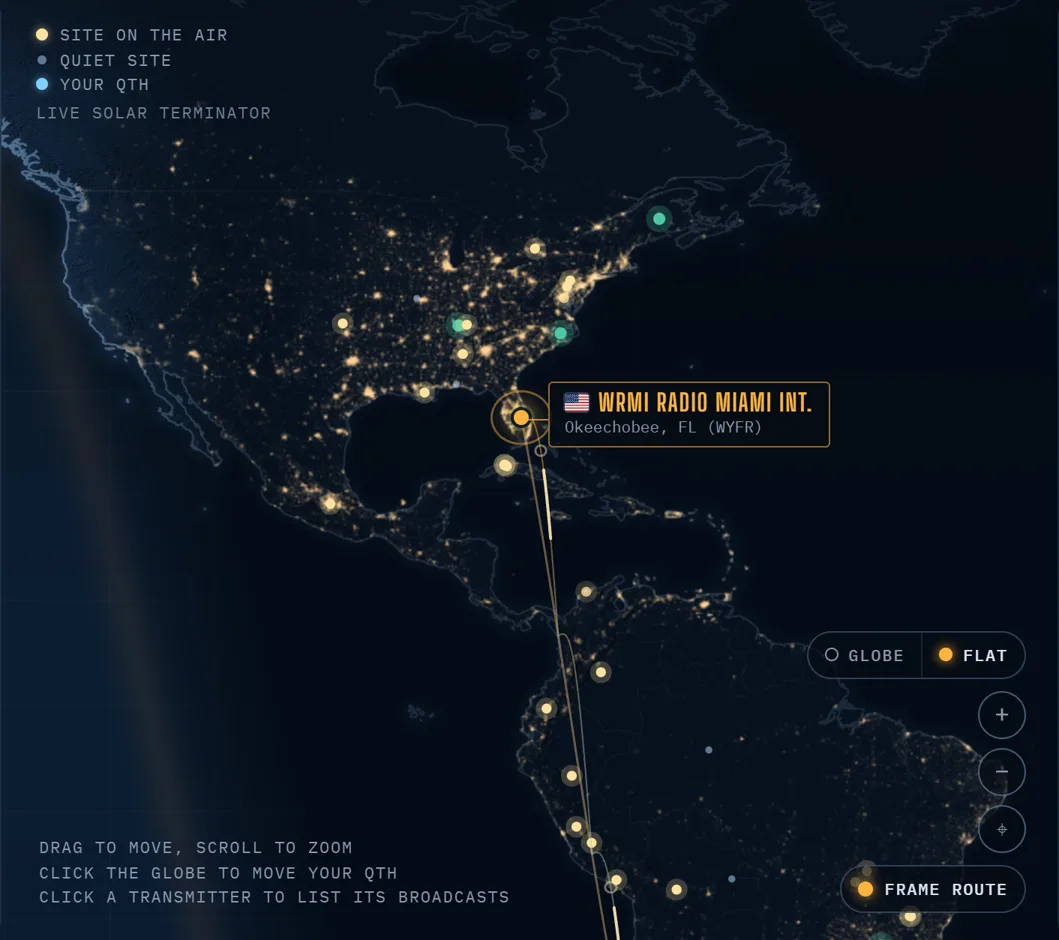
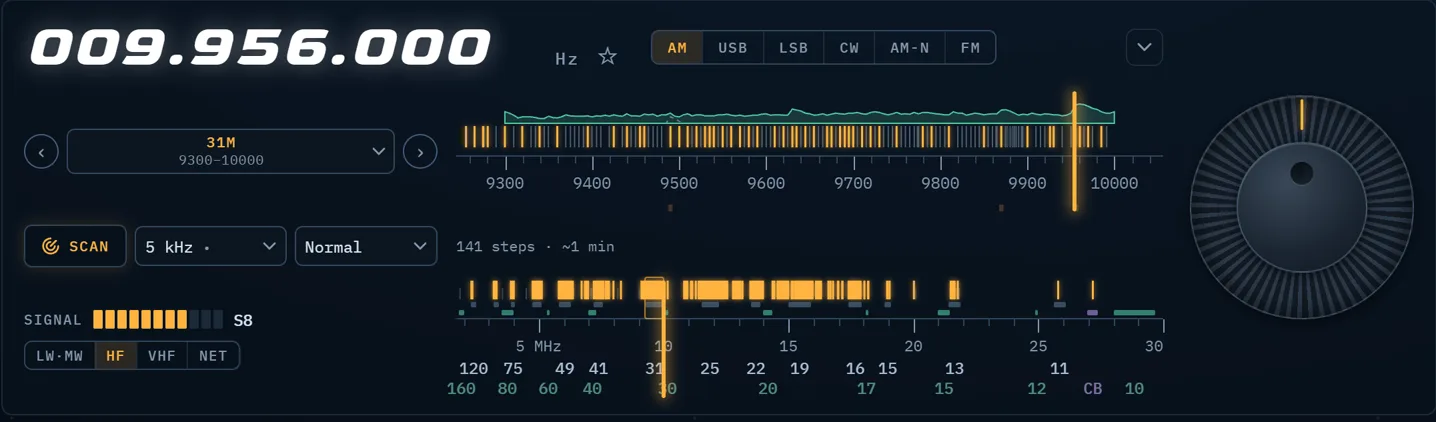
The flat map over the Americas at night: city lights, the transmitter sites and the path from WRMI in Okeechobee, Florida down to the listener in Chile The receiver: 9956 kHz in AM, the 31 m band dial with its stations, the Scan button with step and speed pickers, the S-meter at S8 and the whole HF range with the channels listened to lit in amber
Scan

Scan a band, keep a log

Pick a band and a speed and press Scan. The trace draws live, and every signal is matched to the schedule and logged with its strength. Each station card says how many scans have heard it.

  • Fast, normal or thorough, on any broadcast or ham band
  • Signals no station explains are kept too
  • Four lists: All, Heard, Favorites (internet ones too) and Listened
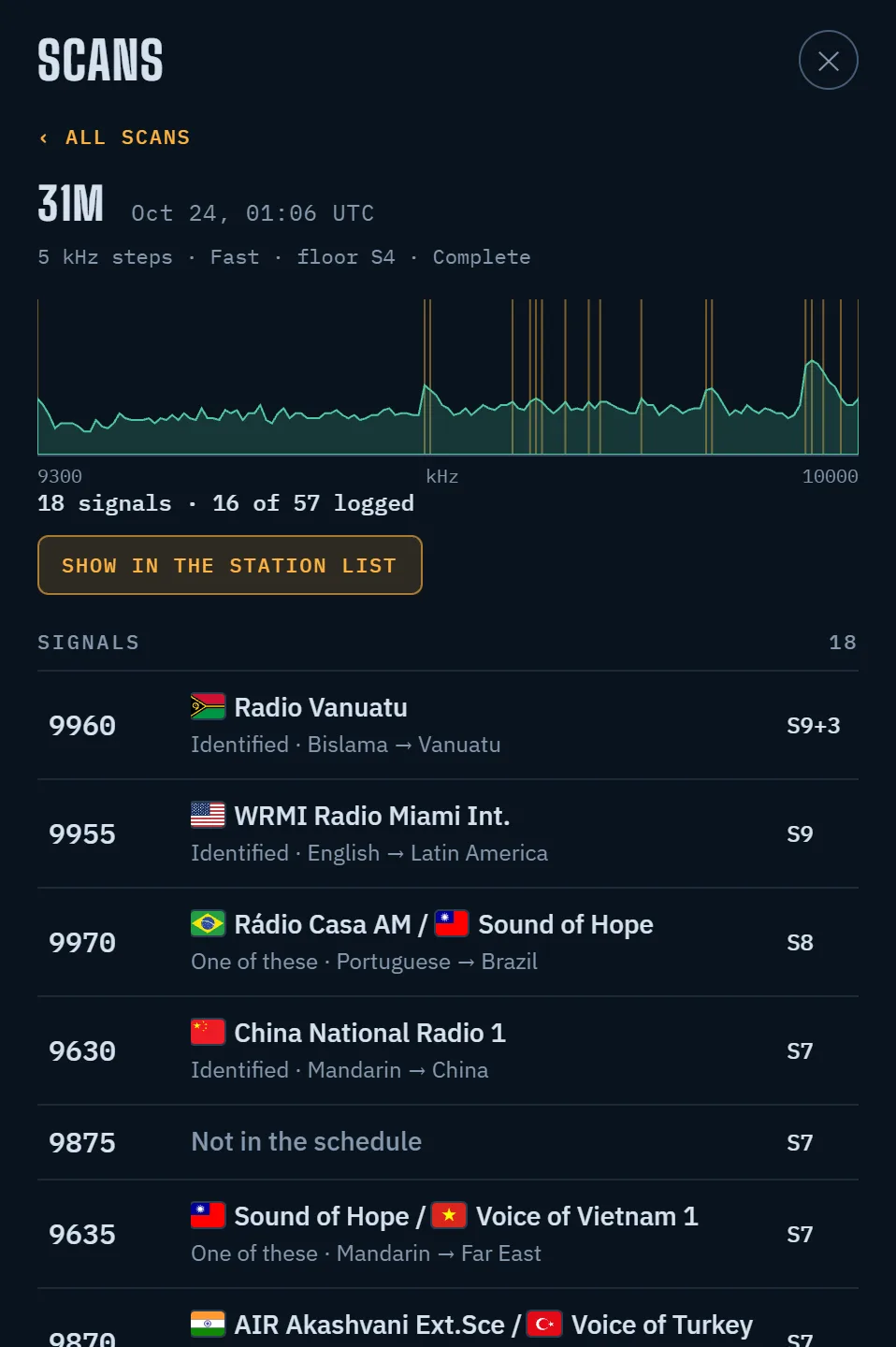
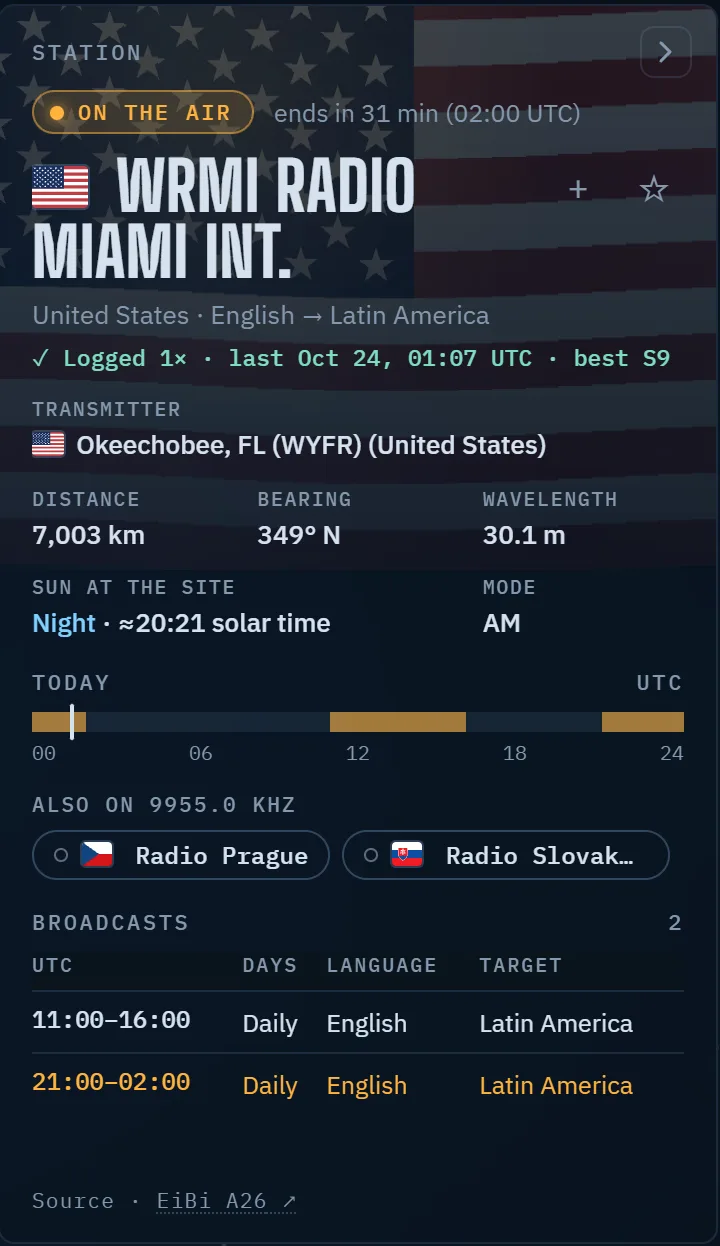
A scan of the 31 m band: the signal trace from 9300 to 10000 kHz, 18 signals with 16 stations logged, led by Radio Vanuatu at S9+3 and WRMI at S9 The station card for WRMI Radio Miami International: on the air, logged once at S9, the Okeechobee transmitter 7,003 km away at 349°, night at the site, today’s schedule and the other stations on 9955 kHz
Stats

A history of what you hear

Stay on a station for 30 seconds and the session is recorded. The history stays on your computer, and you can clear it.

  • When and what you listened to, against the period before, by station, country, language, band and distance
  • Which band comes in best at each hour, and stations on the air now that are new to you
  • An optional collection: a passport of countries, badges and a monthly bingo card
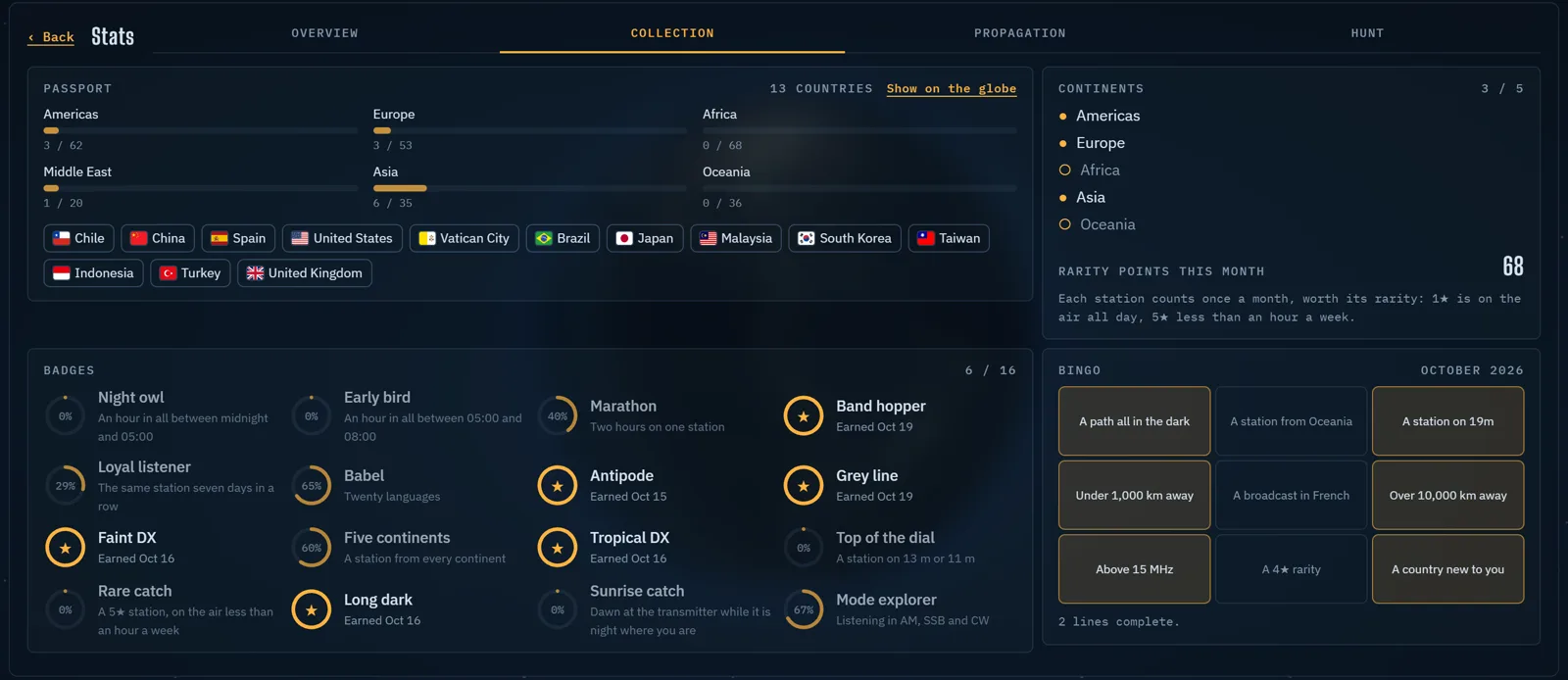
Stats, Collection: a passport of 13 countries across Americas, Europe, Middle East and Asia, 6 of 16 badges such as Grey line and Tropical DX, rarity points and the October bingo card with two lines complete
NET band

Internet radio, tuned like a radio

Turn it on and a NET band joins the dial, with stations from radio-browser.info, a community directory of about 50,000 internet radio streams. It is off until you turn it on.

  • Search by name or country; keep favorites as memory channels
  • The station beats on the map while it plays; the stream buffer grows by itself when it cuts out
  • Its own listening history, never counted in your DX stats
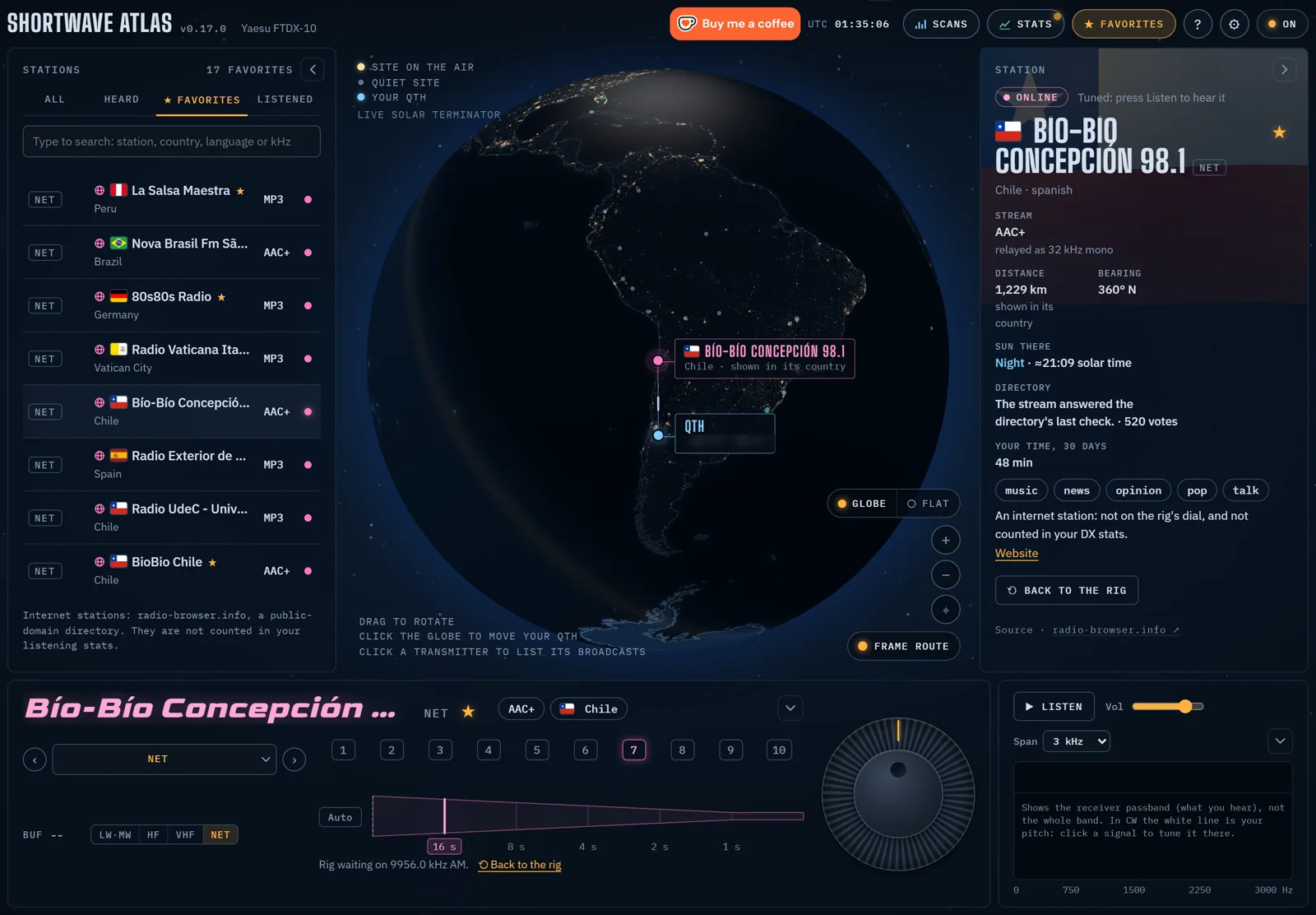
Bío-Bío Concepción 98.1 tuned on the NET band: the favorites list with internet stations from Peru, Brazil, Germany, Vatican City, Chile and Spain, the station in pink on the globe, its card with stream, distance and votes, and ten memory channels above the stream buffer
Remote

Use it from your phone

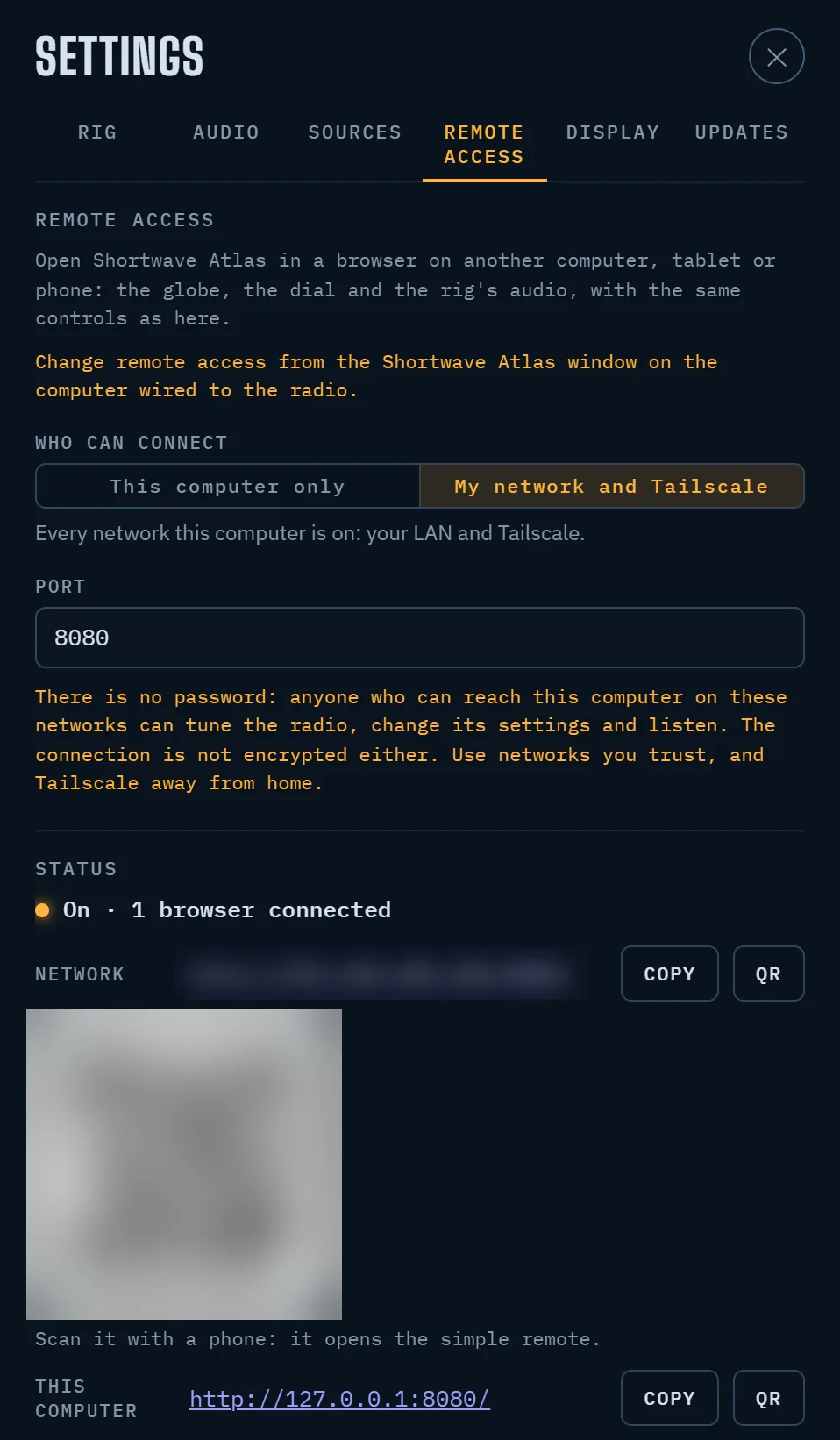
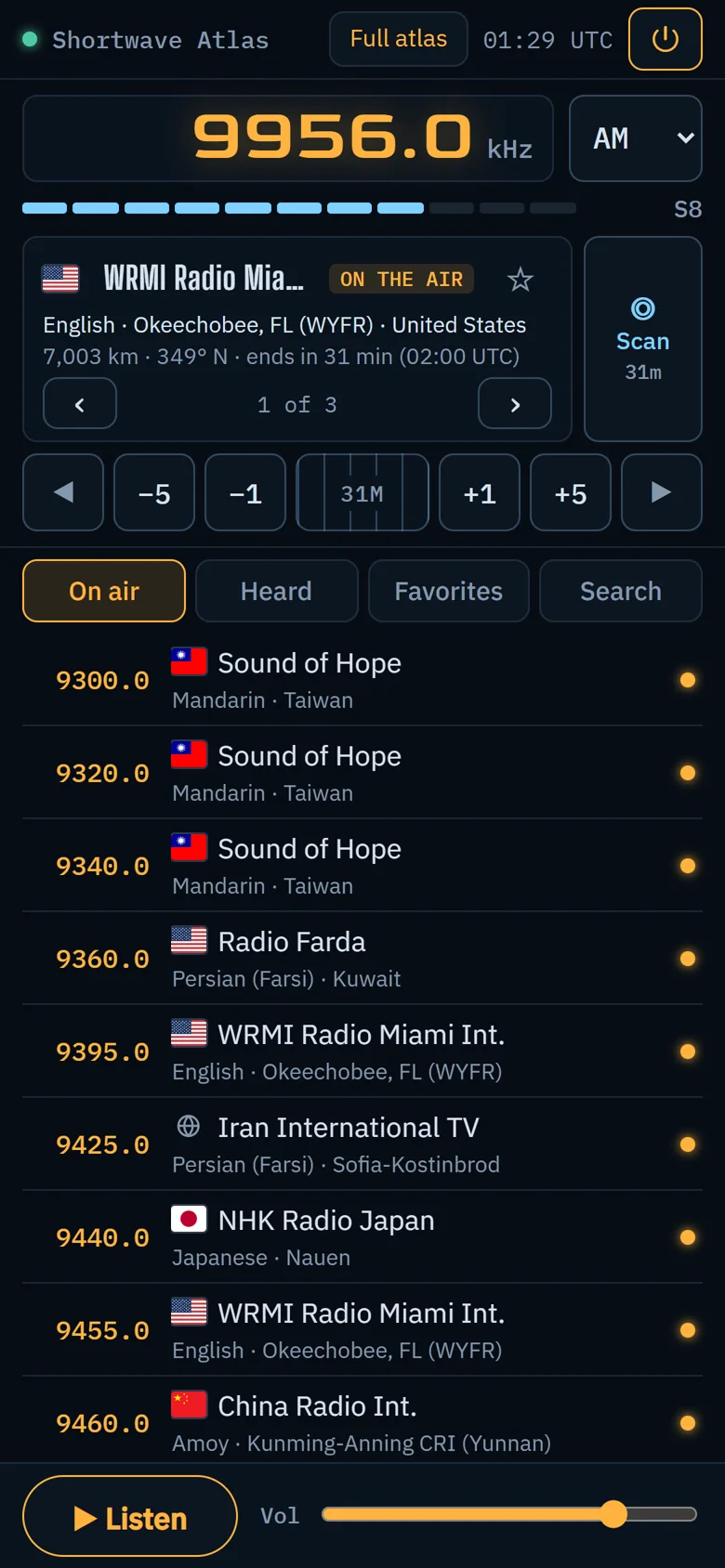
In Settings → Remote access, choose this computer only or your network and Tailscale and press Start. Scan the QR code and your phone gets the simple remote.

  • The frequency, the S-meter and who’s on the air, with big buttons to tune
  • This band’s stations, your favorites, search and Listen; Full atlas opens the whole app
  • Other computers get the full app; for an always-on box, run swatlas-server

There’s no password: anyone who can reach the computer can tune the radio and listen. Use it on networks you trust, and Tailscale away from home.

Settings, Remote access: My network and Tailscale chosen on port 8080, the no-password warning, the status On with one browser connected, and the network address with its QR code, blurred
The simple remote on a phone: 9956.0 kHz AM at S8, WRMI Radio Miami International on the air, tuning buttons, the On air, Heard, Favorites and Search tabs, this band’s stations and the Listen button

And also

Free, open source, and yours

MIT licensed. No account, no tracking: the app only reads one small file to check for updates, and goes to radio-browser.info only if you turn on the NET band. Updates install in one click and are signature-checked, and every release ships with checksums, SBOMs and build attestations.